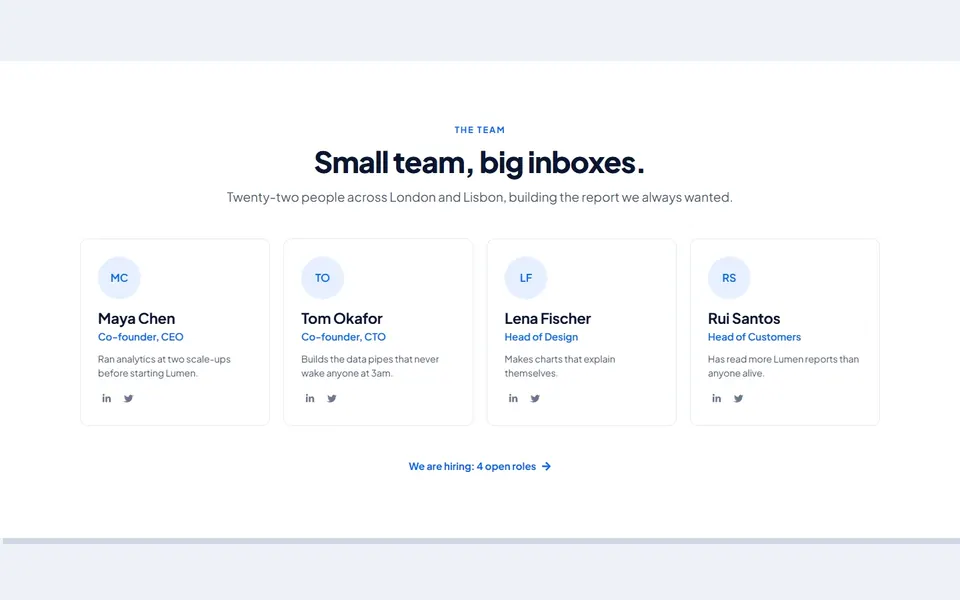
 Live preview
 Free Elementor template
Free Elementor Team Section: Bistro kitchen floor
A team section built natively in Elementor. Download the .json, import it in one click and use it on your own and client websites.
- 1 .json file
- No sign-up
- Free commercial use

How to import it into Elementor
- 1Download and unzip
Click Download free. The zip has the .json file and a README.
- 2Import in WordPress
Go to Templates → Saved Templates → Import Templates and choose the .json file.
- 3Insert and edit
Insert it on a page, then change the text, colours and links.
Full walkthrough: Elementor kit guide.

From the kit
Elementor Team Sections
This design is one of 24 in the kit, each with its own colours and fonts. Get all 24 for $19, or every Elementor kit in the Complete bundle.
Questions
Is this Elementor team section really free?
Yes. Download it with one click, no sign-up, and use it on personal and client websites. You just can't resell or redistribute the template itself.
What do I need?
WordPress with Elementor (the free version works). The template is built with native Elementor elements, with no custom code.
How do I import it?
Unzip the download, then in WordPress go to Templates → Saved Templates → Import Templates and choose the .json file. Insert it on a page and edit it like any other section.
Are there more designs like this?
Yes. It comes from Elementor Team Sections, a kit of 24 designs for $19, and every Elementor kit is included in the Complete bundle.
More free Elementor designs
All free designs Live preview Live preview
SaaS split
 Live preview
SaaS trial card
 Live preview
SaaS centred
 Live preview
SaaS CTA columns
 Live preview
Split CTA
 Live preview
SaaS dashboard
 Live preview